Timer
This guide explains how to setup Timer in Curtain Touch using the Loft App.
⚠️ Note: To set up a Timer, ensure that Curtain Touch is properly configured in the Loft App.
Watch The Video Tutorial
Steps to Setup Curtain Touch Timer
-
Open the Loft App
- Navigate to the Rooms section.
-
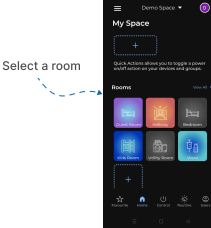
Select a Room
- Tap on the room from where you want to setup Curtain Touch Timer.
- Locate the Device
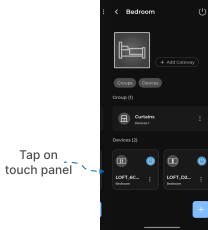
- Find the Curtain Touch Device, Tap it to proceed setup.
-
Open the Curtain Touch
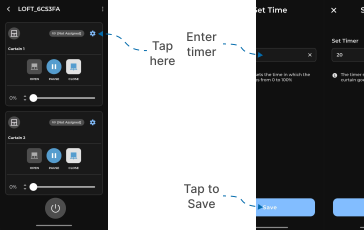
- Locate the Settings icon in curtain control and Tap on it.
- Set Time screen appears.
- Enter time in seconds.
- Tap on Save.
Now, as we set the timer, your curtain will move from 0% to 100% accordingly.